

Custom software fails for boring reasons more often than dramatic ones. The code becomes hard to change. Small features take weeks. Security rules sit in too many places. A launch works, then growth exposes every weak choice made at the start. Laravel keeps those problems under control better than most web frameworks. It gives teams a clean structure, practical tools, strong conventions, and a large ecosystem without forcing every project into the same shape. That balance is why developers use it for everything from marketplace platforms and SaaS products to internal enterprise services, APIs, billing systems, and high-traffic customer portals. The phrase Why Laravel is the Gold Standard for Building Custom Web Applications and Enterprise Services is not just a marketing claim. It holds up because Laravel helps teams build faster at the start and stay sane later, when the software becomes more complex. Laravel gives custom applications a strong foundation A custom web application needs room to grow. It may begin as a booking system, stock tracker, learning portal, or customer dashboard. Over time, it usually gains new user roles, payments, notifications, reports, third-party APIs, background tasks, and admin controls. Laravel handles that growth because its foundation is clear. At its core, Laravel follows the MVC pattern, which separates data, business logic, and presentation. That sounds basic, but it matters. When a project grows, poor separation turns every change into a risk. Laravel encourages a structure where models handle data, controllers process requests, and views present the result. The framework also includes sensible defaults for common needs: This does not mean Laravel solves every problem automatically. It means teams do not waste time rebuilding the same base tools from scratch. They start with a tested structure and spend more effort on the actual business rules. For a Bangladeshi e-commerce platform, that may mean focusing on delivery zones, local payment flows, stock status, and customer communication instead of writing basic login and routing systems again. For a hospital service portal, it may mean building appointment rules and user permissions on top of a reliable base. Developers move faster without losing control Speed matters in custom software. A business often needs a minimum version quickly, then wants to adjust based on real use. Laravel supports that kind of work because the developer experience is unusually polished. Artisan, Laravel’s command-line tool, saves time on repeated tasks. Developers can generate controllers, models, migrations, jobs, notifications, tests, and more. That keeps the project structure consistent, even when several people work on it. Eloquent also improves day-to-day development. Instead of writing raw SQL for every task, developers can describe relationships in readable PHP code. For example, an order can belong to a customer, contain many items, and have one invoice. These relationships become part of the application model, not scattered queries. Blade keeps server-rendered pages clean and reusable. Components, layouts, and partials make it easier to maintain admin panels, dashboards, and content-heavy interfaces. This is why Laravel is popular with solo developers, agencies, and enterprise teams alike. It respects speed, but it does not treat speed as an excuse for messy code. A skilled Laravel developer can build a useful first version quickly, then improve it in layers. Md Shafin Ahmed and many other Laravel-focused developers often favour the framework because it gives enough structure for serious systems while staying flexible enough for custom requirements. Laravel is built for real business complexity Enterprise services are rarely simple websites. They need rules. A lot of rules. A loan application portal may need approval steps. A logistics system may need delivery status changes, route assignment, rider payout tracking, and customer alerts. A school management system may need role-based access for admins, teachers, students, and guardians. A manufacturing dashboard may need stock movements, purchase requests, and audit logs. Laravel gives teams the tools to model this complexity without losing the thread. Authentication and permissions can be handled cleanly Laravel includes authentication features and supports modern API authentication through tools such as Sanctum and Passport. For custom permission logic, policies and gates help keep access rules close to the parts of the application they protect. That matters in enterprise work. If only finance users can approve refunds, or only branch managers can edit local inventory, those rules must be clear and testable. Hard-coded permission checks scattered across templates and controllers become a maintenance problem. Laravel gives teams better places to put them. Background jobs keep systems responsive Not every task should run while a user waits. Sending emails, generating reports, processing images, syncing with another service, and updating search indexes can slow down a request. Laravel queues let teams push those tasks into the background. The user gets a fast response, while workers process jobs separately. This is useful for services that handle many transactions, notifications, or imports. For example, a national delivery system in Bangladesh might receive bulk orders from sellers. Laravel can accept the upload, queue the processing, validate records in the background, and notify the seller when the job finishes. Events make large systems easier to change As an application grows, one user action may trigger several results. A completed order might reduce stock, create an invoice, send a message, notify an admin, and update analytics. Laravel events let teams separate those actions. The order completion event happens once. Different listeners respond to it. That makes the system easier to extend later because new behaviour can be added without rewriting the original flow. Laravel’s real strength is not one feature. It is the way its features fit together under pressure. The ecosystem reduces risk for long-term projects Choosing a framework is not only a technical decision. It is a risk decision. A custom application may need support for years. The team may change. New developers may join. The project may need new integrations. Laravel has a large global community, detailed documentation, and a mature package ecosystem. That reduces the risk of being trapped with obscure tools only a few people understand. Common needs already have
Building High-Performance Web Applications: Key Best Practices for 2026
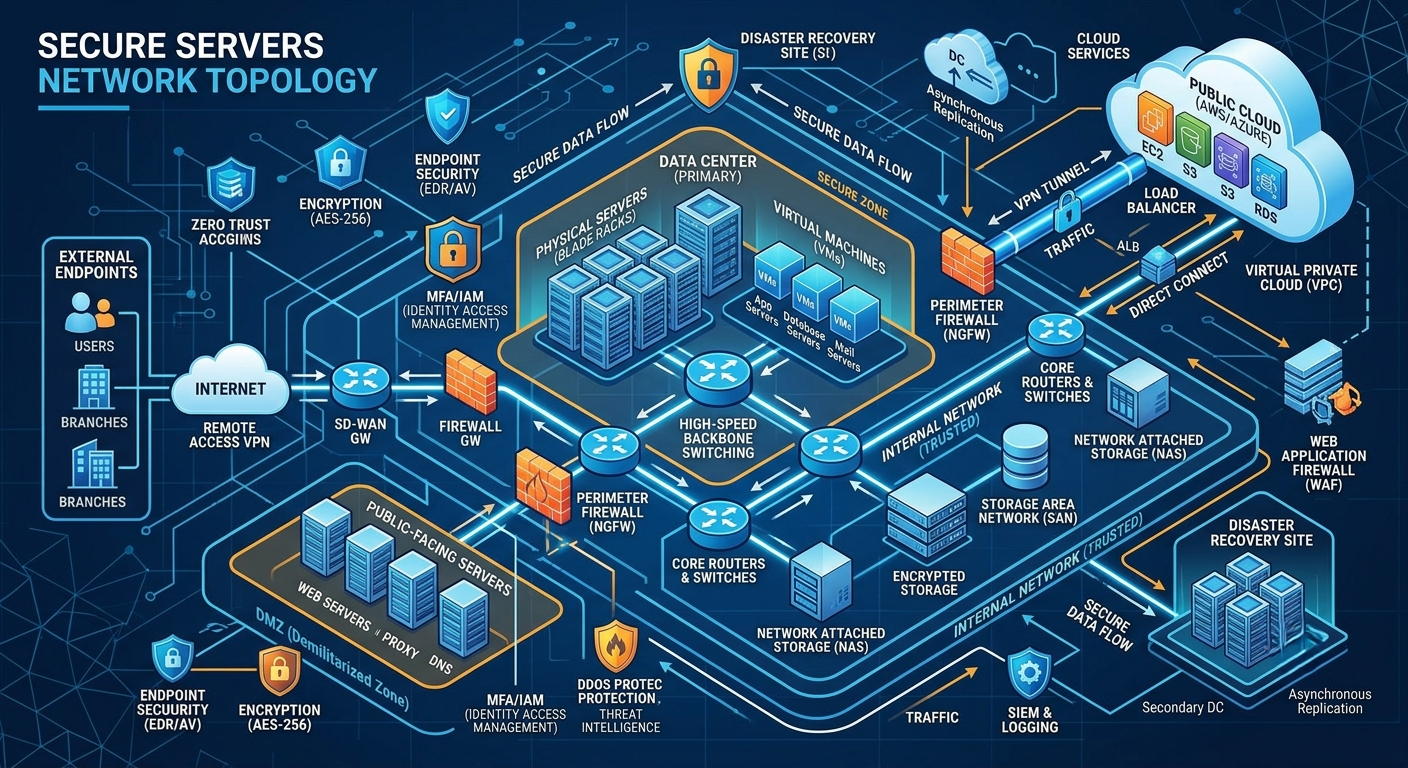
In today’s fast-paced digital world, user expectations are higher than ever. A delay of just a few milliseconds can lead to high bounce rates, lost traffic, and reduced conversions. Whether you are running an educational platform, an online training system, or a corporate business website, optimizing for both speed and uncompromising security is non-negotiable. To deliver a premium experience, modern developers must focus on core web fundamentals from day one. Here are the crucial strategies for building scalable, high-performance web applications. 1. Optimize Database Queries & Data Retrieval The database is frequently the primary bottleneck in web applications. Unoptimized queries can slow down even the best-designed user interfaces. 2. Prioritize Asset Optimization & Lightweight UI Loading large, uncompressed media files or heavy JavaScript frameworks can severely degrade front-end performance. 3. Implement Robust Security Measures A fast web application is useless if it isn’t secure. Protecting user data and administrative access should always be a top priority. 4. Automate Deployment & Version Control Maintainability is a huge part of long-term software health. Manual file transfers via traditional FTP are prone to human error and unexpected downtime. Final Thoughts Delivering a seamless web experience requires a balanced mix of smart backend engineering, clean front-end execution, and continuous optimization. By focusing on query efficiency, optimized assets, and tight security, you build a solid foundation that can scale effortlessly for years to come.

Md Shafin Ahmed: The Full Stack Web Expert Powering Modern Solutions | Laravel Developer
Great web systems rarely come from one skill alone. They need clean code, a fast interface, secure data handling, reliable deployment, and the patience to build features that real users can trust. That mix is what defines Shafin’s work. Md Shafin Ahmed has built a profile around practical full-stack web development, with a strong focus on Laravel, MySQL, Tailwind CSS, Alpine.js, Git workflows, and custom learning platforms. His work sits at the point where backend logic, frontend polish, and deployment discipline meet. Rather than chasing heavy designs or bloated systems, Shafin focuses on web solutions that feel clean, load quickly, and serve a clear business or educational purpose. That makes his technical identity easy to understand: he builds modern web products with structure, speed, and long-term use in mind. Clean systems start with clear structure and careful planning. A full-stack developer with a practical backend mindset Shafin’s core strength is full-stack web development, especially with the PHP Laravel framework. Laravel is widely used because it gives developers a clear structure for routing, authentication, database work, queues, APIs, and application logic. In the hands of a skilled developer, it can support everything from business portals to learning systems and admin dashboards. Shafin uses Laravel as more than a coding tool. He treats it as the foundation for systems that must be secure, maintainable, and ready to grow. That matters because a website is rarely “finished” after launch. Businesses need new modules, safer access controls, cleaner reports, better content management, and faster user flows over time. His backend work is closely tied to MySQL, which handles relational data for many web applications. In practical terms, that means he can structure data for users, courses, questions, orders, permissions, content, logs, and other records that a modern platform may need. A strong backend developer must think beyond writing functions. The work includes: That is why Laravel and MySQL form such a useful pair in Shafin’s toolkit. Laravel manages the application flow, while MySQL stores and connects the data behind that flow. His frontend style favors clean, premium interfaces Many web projects fail because they look busy. Too many colors, animations, panels, popups, and layout choices can make even a strong system feel hard to use. Shafin’s UI approach takes a different route. He favors a clean, minimalist, premium look. The goal is not to make pages feel empty. The goal is to remove visual noise so users can focus on the task in front of them. His frontend stack centers on Tailwind CSS and Alpine.js. Tailwind CSS gives him fine control over layout, spacing, typography, color, and responsive design without forcing a bulky theme. Alpine.js adds lightweight interactivity without the overhead of a large frontend framework. Together, they help create interfaces that feel fast and polished across phones, tablets, laptops, and larger screens. This matters in real projects because users often judge a system in seconds. If the dashboard is confusing, if forms feel clumsy, or if content looks unstable on mobile, trust drops quickly. Shafin’s design style supports: The result is a frontend experience that looks modern without becoming heavy. A simple interface can make complex learning tools easier to use. Git and deployment automation are a major part of his workflow A developer’s skill is not limited to writing code. Code must be tracked, reviewed, deployed, and maintained. This is where Shafin’s Git-based workflow experience becomes important. He specializes in GitHub repository management, team collaboration, automated deployment from GitHub to cPanel, and secure Git connection setup for businesses. These skills are practical, especially for companies that use shared hosting or cPanel but still want a modern development process. A weak deployment process creates common problems. Files get overwritten. Old versions remain on the server. Team members lose track of changes. Fixes become hard to trace. A single manual upload can break a working system. Git helps reduce that risk. It creates a controlled history of code changes. Developers can work on features, review updates, restore older versions, and track who changed what. For businesses using cPanel, Git deployment can make the process much cleaner. Instead of uploading files manually each time, changes can move from GitHub to the server in a more dependable way. That saves time and lowers the chance of mistakes. Shafin’s work in this area includes: This kind of workflow is especially useful for small and growing teams. It brings a more controlled development process without requiring a complex cloud setup. He builds advanced features for learning and management systems One of the clearest signs of Shafin’s technical range is his experience with custom advanced web features. These are not basic brochure pages. They require planning, testing, user flow design, and backend logic. His experience includes HTML5 video learning systems, MCQ engines, drag-and-drop question modules, and dynamic admin dashboards. These features are common in education technology, training platforms, coaching systems, and internal learning portals. A video learning system may sound simple at first. A user clicks play and watches a lesson. But a serious learning platform needs more than that. A well-built system may include: Anti-download security deserves careful wording. No web video can be made impossible to capture in every situation, because anything displayed on a user’s device can be recorded in some way. Still, developers can add practical protection, such as access checks, controlled file paths, signed links, disabled direct exposure, and player-level limits. These steps make casual downloading harder and protect content better than an open file link. Shafin has also worked with complex MCQ engines and drag-and-drop question modules. These tools require more than displaying questions. They may need scoring rules, question banks, randomized options, timers, attempt history, answer review, and admin-side editing. Dynamic dashboards bring these pieces together. A good dashboard lets admins manage content, users, reports, settings, and system activity without touching code. That is where backend structure and frontend clarity must work as one system. Custom learning platforms need secure video tools and smooth controls. His professional journey shows both technical
Who is Md Shafin Ahmed? The Tech Mind Behind Modern Web Solutions
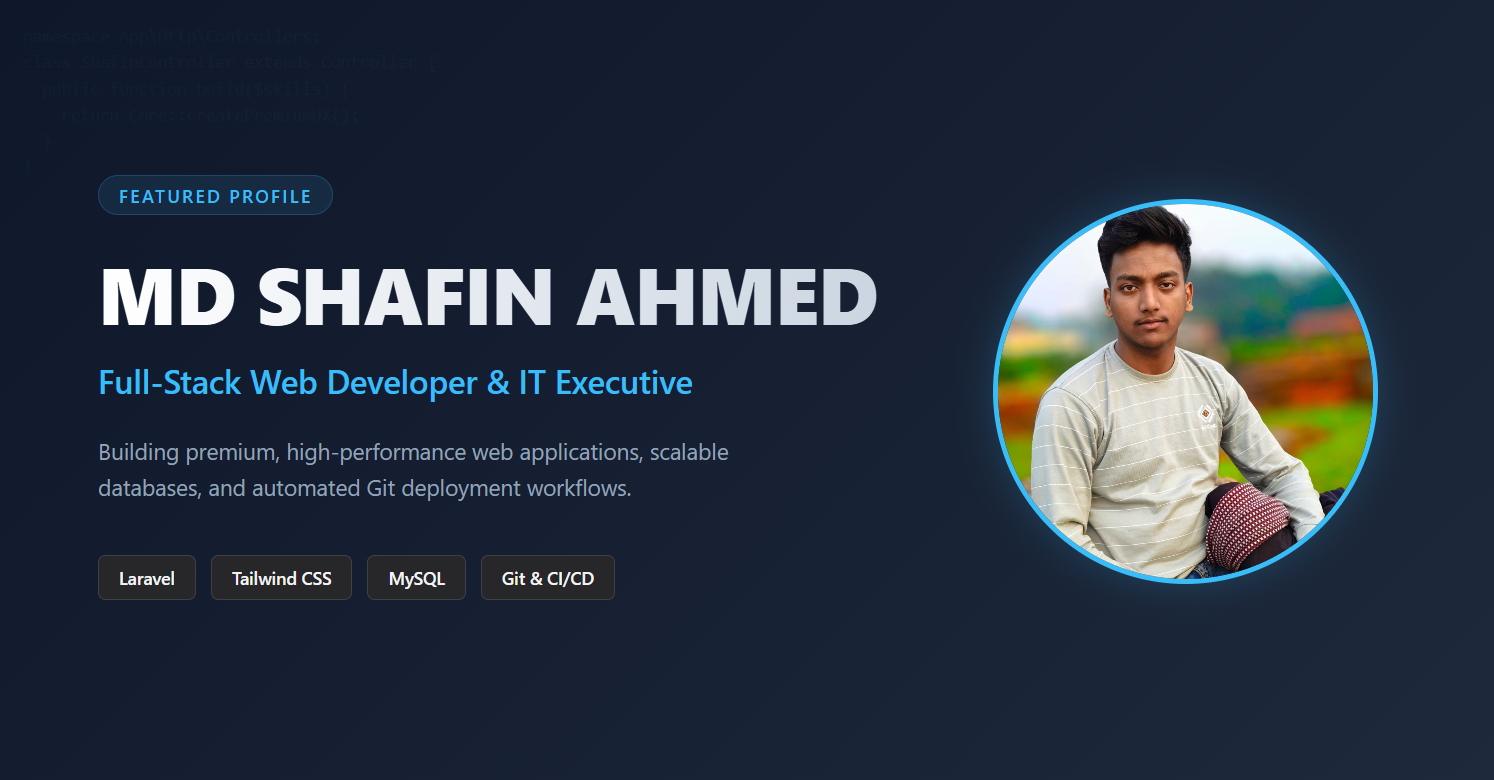
In the rapidly evolving world of technology, building efficient, scalable, and user-friendly web applications requires a unique blend of skill, dedication, and innovation. One such prominent name rising in the tech landscape of Bangladesh is Md Shafin Ahmed. As an experienced Full-Stack Web Developer and IT Executive, Md Shafin Ahmed has been transforming businesses by creating high-performance digital experiences. Who is Md Shafin Ahmed? Md Shafin Ahmed is a professional Full-Stack Web Developer, Git Automation Expert, and IT Executive based in Bangladesh. With a strong academic foundation in Computer Science and Engineering, he has quickly transitioned into a highly reliable tech professional capable of handling both complex backend logic and sleek corporate user interfaces. Educational Background A solid technical background is the pillar of Shafin’s expertise. His academic journey includes: What Does Md Shafin Ahmed Do? (Core Technical Skills) Shafin specializes in building modern web applications from scratch, optimizing databases, and automating deployment workflows. His core tech stack and expertise include: 1. Full-Stack Web Development Shafin is highly proficient in the PHP Laravel Framework, which he uses to build robust, secure, and scalable web applications. Combined with MySQL for relational database management, he ensures seamless data handling for enterprise-grade projects. 2. Premium UI/UX Implementation Instead of using heavy, cluttered designs, Shafin prefers a clean, minimalist, and premium “corporate look.” He masters Tailwind CSS and Alpine.js to craft highly responsive, lightning-fast frontend interfaces that look professional across all devices. 3. Git & Deployment Automation One of Shafin’s standout skills is his expertise in Git-based workflows. He specializes in: 4. Custom Advanced Web Features Shafin has hands-on experience building complex modules, including: Professional Journey & Experience Over the years, Md Shafin Ahmed has contributed significantly to various organizations and global clients via freelancing platforms like Fiverr and LinkedIn. Organization Role / Designation Core Responsibilities World Runner Express LTD. IT Executive (2026 – Present) Managing IT infrastructure, optimizing web systems, and driving corporate tech solutions. Tutor Provider BD Junior Assistant Manager & Web Developer (Past) Developed educational platforms, handled web systems, and managed customer service operations
Why PHP Laravel & Tailwind CSS are the Ultimate Combo for Modern Web Apps
In the fast-evolving world of web development, building a web application requires two fundamental pillars: a robust, scalable backend and a highly responsive, clean frontend. While there are countless frameworks and libraries available today, the combination of PHP Laravel and Tailwind CSS has emerged as an absolute powerhouse for modern developers. Whether you are building a high-performance video learning system, a corporate dashboard, or a complex exam system, this stack offers unmatched speed, security, and flexibility. Let’s dive into why Laravel and Tailwind CSS work so perfectly together. 1. Laravel: The Elegant Backend Foundation Laravel has rightfully earned its title as “The Web Artisan’s Framework.” It simplifies common tasks used in the majority of web projects, such as authentication, routing, sessions, and caching. 2. Tailwind CSS: The Future of UI/UX Design Gone are the days of fighting with rigid component frameworks or writing endless lines of custom CSS. Tailwind CSS is a utility-first framework that allows developers to build custom user interfaces directly within their markup. 3. The Synergy: Why They Rule Together When you pair Laravel with Tailwind CSS—and often sprinkle in a bit of Alpine.js for lightweight interactivity—you get a highly productive development ecosystem. Final Thoughts Choosing the right tech stack is the difference between a sluggish application and a high-performance digital product. For full-stack developers and businesses aiming for efficiency, speed, and a premium user experience, the Laravel + Tailwind CSS duo remains an unbeatable choice. What is your favorite stack for building web applications? Let us know in the comments below!